google/skills: what Google's 158 official agent skills cover
TL;DR
- google/skills is a library of Agent Skills that teach AI agents how to use Google products. It grew from 13 skills at launch in April to 158 as of October 13.
- The gcloud skill tells agents to check syntax in the help output before running a command, and to wait for human approval before delete or billing operations.
- Fifteen skills tell the agent to add usage-attribution markers, and some have it label the Terraform resources it creates.
Contents (6)
Google’s google/skills showed up on GitHub Trending. It is the official collection of “Agent Skills” that package how to use Google products in a form AI agents can read. The repository drew attention when it launched in April, and in the six months since, it has grown from 13 skills to 158.
What google/skills is
Agent Skills is a format for handing an AI agent the procedures and knowledge for a task. Under the specification, a skill is a folder containing a SKILL.md file, optionally bundled with scripts and reference material. At startup, the agent reads only the name and description of every skill (roughly 100 tokens each as a guideline), and loads a skill’s body when a request matches it. The body should stay under 5000 tokens, and bundled material is read only when it is needed beyond that.
Google announced the repository on April 22, 2026, the first day of Google Cloud Next. According to the official blog, leaning heavily on documentation-search MCP servers pushes large amounts of context into the context window, which confuses the model and drives up token costs. Skills are positioned as condensed material that is loaded only when needed.
The license is Apache 2.0. However, CONTRIBUTING says the project does not accept outside pull requests. Users can file issues for bugs and requests, or fork and modify the skills.
What is in it
At launch there were 13 skills: 7 product-specific ones such as BigQuery and GKE, and 6 covering design guidance and onboarding. Counting from the repository history, there were 25 on June 1, 99 on August 1, and 150 on October 1, reaching 158 as of October 13.
The README groups the 158 skills into 13 categories.
| Category | Count | Main skills |
|---|---|---|
| Getting started with Google Cloud | 3 | Project creation, authentication |
| Multi-product architecture | 12 | Architecture design, building agents, RAG |
| AI/ML | 25 | Gemini API, Genkit, Agent Platform |
| Infrastructure | 37 | GKE, Cloud Storage, Filestore |
| Databases and analytics | 16 | BigQuery, Spanner, Cloud SQL |
| Developer tools | 5 | gcloud, Cloud Build |
| Application development | 1 | Migrating to Rust |
| Management tools | 17 | Cloud Logging, PromQL, SLO alerts |
| Well-Architected Framework | 6 | Cost, operations, performance, reliability, security, sustainability |
| Security and identity | 17 | SecOps, IAM, Security Command Center |
| Web and app hosting | 3 | Cloud Run, Firebase |
| Ads | 14 | Google Ads API, Mobile Ads SDK |
| Other | 2 | Google Analytics APIs |
Skills with GKE in the name alone number 40. There are no Google Workspace skills, and Android, Flutter, and similar products are pointed to separate repositories. 106 skills mention gcloud in their SKILL.md, and most are written on the assumption that the agent will build the commands itself.
What you can do with it
The most broadly useful one is the gcloud skill. It warns that the gcloud commands a model remembers are outdated and that models tend to invent flags that do not exist, then sets these rules:
- Before running or suggesting a command, check its syntax with
gcloud helpon the leaf command. Do not rely on web search. - Never run
listwithout at least one of--limit,--filter, or--format. - If
--dry-runor--validate-onlyexists, check with it first. - Do not run IAM changes,
gcloud * delete,gcloud billing, and similar commands without the user’s explicit approval.
For any agent that works with Google Cloud, this looks like the one to install first.
Skills in other categories also stand out for prescribing a fixed procedure. GKE cost optimization has you install the Vertical Pod Autoscaler in recommendation-only mode and collect at least 24 hours of data before reading its recommendations. BigQuery is split into separate skills for basics, optimization, usage observability, and incident investigation, and their descriptions even state when not to use each one and which skill to use instead. There is also a set of skills that generate things whose syntax is hard to remember, such as Cloud Logging queries, PromQL, and SLO alert configurations.
The SecOps alert triage skill opens with an instruction to treat alert titles and log contents as untrusted data and never to run commands embedded in them. Alert contents are strings an attacker can write, so if you adapt the skill yourself, you will likely want to keep that instruction. The architecture design skill forbids suggesting products until it has finished gathering requirements, because naming a product first lets confirmation bias pull the answer toward it.
Outside Google Cloud, there is a skill that looks for the cause of a drop in conversions through the Google Ads API, and one that ports C++, Java, and other code to Rust with unsafe forbidden. The Rust skill includes guardrails such as showing the user commands before building an external repository and capping automatic fixes for failing tests at five attempts.
How to install
The README’s install method is a one-liner using the skills CLI. It supports Claude Code, Codex, Cursor, and others.
# Only list the skills
npx skills add google/skills --list

# Install just the gcloud skill into Claude Code
npx skills add google/skills --skill gcloud -a claude-code
Installing all 158 means the agent reads 158 names and descriptions at startup. It seems better to pick only the skills for the products you use.
There are also 17 “plugins” that bundle skills with MCP servers. In Claude Code, run claude plugin marketplace add google/skills and then claude plugin install <plugin>@google-plugins. In Codex, run codex plugin marketplace add google/skills and then install from the /plugins screen. Only google-cloud-developer has its contents inside the repository: five skills including gcloud, plus connection settings for the Developer Knowledge MCP server, which looks up the official documentation. The default quota is 50 answer generations per project per day and 100 searches per project per minute. Even when a skill’s knowledge goes stale, you can pull the latest documentation through it.
What to check before installing
Fifteen skills contain instructions to add markers for measuring usage. Eleven of them, including BigQuery basics, append the skill’s name and version to environment variables or the User-Agent of the commands the agent runs. They state that no user data is included and that the marker can be removed on request. Five of the fifteen, such as the Cloud Monitoring notification channels skill, tell the agent to put a created-with-google-skill label on the Terraform resources it creates. That marker ends up in code that stays in your own repository, so if it bothers you, search the SKILL.md files before installing.
Google Skill Finder keeps no skills locally. Each session, it fetches the list from the main branch on GitHub and then fetches the bodies of up to three matching skills. It states that it will not disable verification and retry if certificate verification fails. Even so, the instructions it reads are whatever is on main at that moment. Installing the skills you need locally lets you pin which version of the instructions the agent ran with.
Some skills enforce “Google-specific standards,” such as the one that moves dbt projects from Snowflake to BigQuery, which adds a copyright notice to the top of each file it rewrites. These will not necessarily fit your own company’s code as is, so it is worth reading the body of each SKILL.md before installing.
Related articles
I covered sharing and approving skills within an organization, using Copilot Studio as the example, in the skills catalog article. Google’s repository is the opposite case: a product vendor distributing skills for its own products.
Related notes
AI
GitHub Universe 2026: 3 features to try now, terms and costs
Agentic Workflows, Copilot app Projects, and Copilot Dreaming, checked against GitHub docs: release stage, plans, how AI credits are charged, and what changes without approval.
7 min
AI
Four fixers for AI-sounding Japanese vs. a 137-item list
A deck that condenses 137 checklist items into 16 principles drew attention. I use it as a yardstick for yomiyasu, natural-japanese, meiseki, and textlint's AI rules.
10 min
AI
Claude Code on Google Cloud: org spend limits and ROI
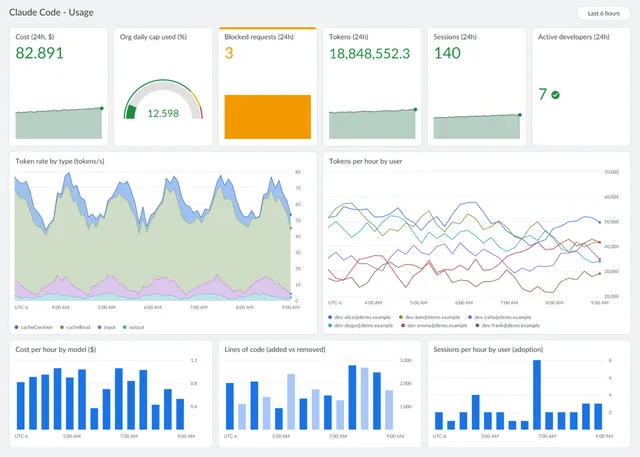
Using Claude Code via Google Cloud Agent Platform in an organization: budgets and limits, collecting usage, and measuring impact, checked against Anthropic's article and the docs.
9 min