How far Anthropic vets Claude Code's 315 official plugins
TL;DR
- claude-plugins-official is a catalog of 315 plugins. Anthropic wrote 39 of them; the rest come from partners such as GitHub and other outside authors
- The 262 external plugins are pinned to commit hashes, and the repository has a setup where, on each nightly update, Claude reviews hooks and network calls against a policy document inside GitHub Actions
- Despite the review, the README and the install-time warning state plainly that Anthropic cannot verify what plugins actually do, and hooks and MCP servers run outside the sandbox
- The token estimate on a plugin's details screen covers only what enters the conversation. It does not include API costs from calls that hooks make in the background
Contents (4)
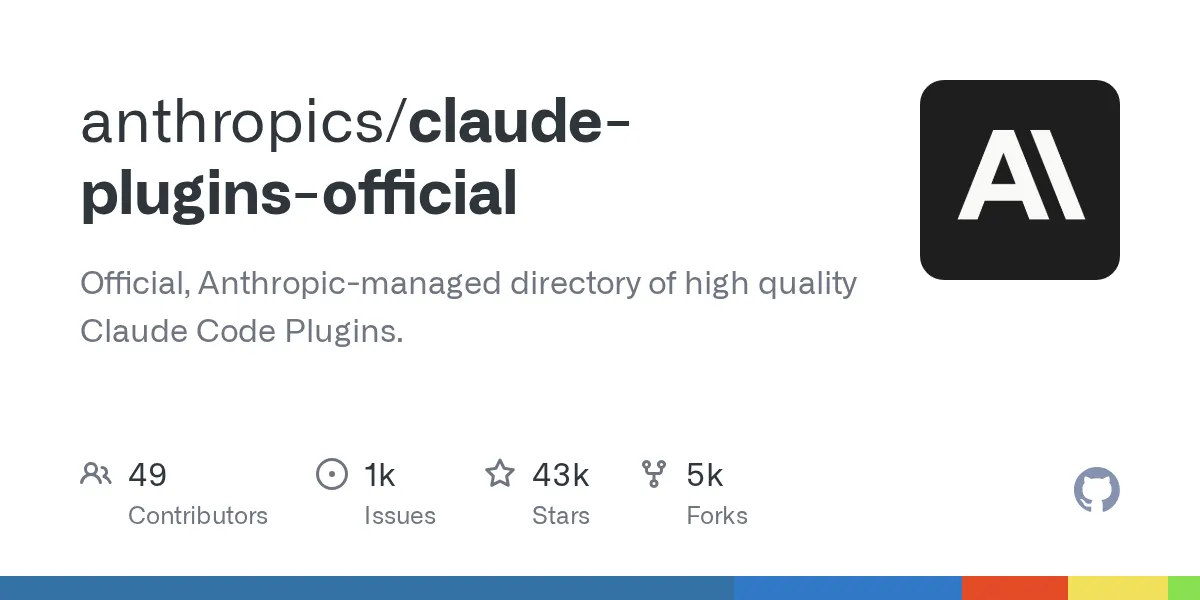
Anthropic’s claude-plugins-official showed up on GitHub Trending. When you type something like /plugin install commit-commands@claude-plugins-official in Claude Code, the name after the @ comes from this repository. It’s a catalog most of us use without thinking about it. I read through it to see what this “official” catalog contains and how far Anthropic checks what’s in it.
What’s in it
A plugin bundles slash commands, subagents, MCP servers, hooks, and similar pieces so you can install them with one command. Anthropic announced plugins in October 2025. A catalog of plugins is called a “marketplace,” and in practice it’s a single file in a repository: .claude-plugin/marketplace.json.
As of October 15, marketplace.json listed 315 plugins. Counting through the repository history, there were 40 at the end of December 2025, 123 at the end of March 2026, 254 at the end of June, and 291 on September 1.
Grouped by where they live:
| Location | Count | Examples |
|---|---|---|
plugins/ (written by Anthropic) | 39 | code-review, commit-commands, security-guidance, 12 language servers |
external_plugins/ (outside authors’ plugins bundled in the repo) | 14 | github, playwright, linear, asana |
| References to external repositories | 262 | Repositories from Adobe, Salesforce, SonarQube, and others |
The official docs page Anthropic’s marketplaces also says most listed plugins come from partners and other authors. By category, development leads with 123, followed by productivity with 69 and databases with 39.
Anthropic runs two other general-purpose marketplaces (plus topic-specific ones such as anthropics/skills). claude-community collects external plugins that authors submitted, and claude-code-plugins (repository anthropics/claude-code) collects examples. If you added anthropics/claude-code following older instructions, you may end up with two copies of plugins like code-review. The docs recommend installing same-named plugins from the official side.
A similarly named thing is Claude Marketplace, whose new version launched on September 23. It’s a web catalog of more than 2,000 connectors and plugins (BleepingComputer, IT-Connect). claude-plugins-official is the part of it that Claude Code loads directly.
What “official” guarantees
First, name spoofing is blocked. According to Plugin security and trust, official names such as claude-plugins-official are accepted only when added from a repository under github.com/anthropics/. If you add a marketplace with the same name from anywhere else, Claude Code refuses to load it.
Second, all 262 external plugins were pinned to commit hashes. If an author rewrites their repository, the change doesn’t flow straight to users. A GitHub Actions workflow runs nightly, finds plugins updated on the author’s side, validates them at the new hash, and opens one pull request per plugin. In the repository history, 121 hash updates were merged into main between October 9 and 16 (UTC).
One of the checks on those pull requests is a review by Claude (Scan Plugins). The review policy sets the bar higher than “not malicious”: plugins must “handle user data responsibly.” A plugin fails if any of these apply:
- It contains malicious code, exfiltrates data, or bypasses safeguards
- A hook that sees prompts or tool input and output runs even in projects unrelated to the plugin’s purpose
- It sends traffic anywhere other than its MCP servers (usage telemetry, for example) without disclosing it and explaining how to turn it off
- It has hooks, network calls, or data reads you wouldn’t expect from its description
The policy tells the reviewer to read not only hook scripts but also hidden folders such as .claude/ that never get loaded. That’s because a plugin installed from Git puts the whole repository on your machine. The underlying Anthropic Software Directory Policy says review continues after a plugin is listed.
On the other hand, the README opens with a warning to make sure you trust a plugin before installing it. It says Anthropic does not control the MCP servers or files included in plugins and cannot verify that they work as intended or that they won’t change later. The warning Claude Code shows before installing uses the same text, whether or not the marketplace is official.
Installing, and what claude plugin details shows
In my test environment (Claude Code 2.1.302, empty settings), I added the official marketplace and installed three plugins:
$ claude plugin marketplace add anthropics/claude-plugins-official
Cloning repository (timeout: 120s): https://github.com/anthropics/claude-plugins-official.git
Clone complete, validating marketplace…
√ Successfully added marketplace: claude-plugins-official (declared in user settings)

$ claude plugin install code-review@claude-plugins-official
√ Successfully installed plugin: code-review@claude-plugins-official (scope: user)
With settings that had never opened the interactive screen, the official marketplace wasn’t registered yet. As the docs say, Claude Code adds it automatically only when you start your first interactive session in a terminal. If you install from a script, you need marketplace add first.
After installing, claude plugin details shows what’s inside and an estimate of the tokens added to the conversation.
$ claude plugin details code-review@claude-plugins-official
Component inventory
  Skills (1)  code-review
  ...
Projected token cost
  Always-on:   ~22 tok   added to every session
  component    always-on  on-invoke
  code-review        ~20      ~2.5k
For security-guidance, it looked like this:
$ claude plugin details security-guidance@claude-plugins-official
Component inventory
  Skills (0)
  Agents (0)
  Hooks (4)  SessionStart, UserPromptSubmit, PostToolUse, Stop  (harness-only — no model context cost)
  ...
Projected token cost
  Always-on:   ~0 tok   added to every session
The estimate is 0 tokens, but that doesn’t mean the plugin runs for free. According to its README, every time Claude finishes a response (Stop) and on every commit, it reviews the diff with the latest Opus by default. That cost comes out of API charges or your subscription’s usage limits. With the Anthropic API, the Stop review calls the API directly, so it doesn’t appear in Claude Code’s own cost display either. The README also says the changed diff and file contents are sent for the review.
github has one MCP server, and its .mcp.json connects to https://api.githubcopilot.com/mcp/. You pass a GitHub personal access token through an environment variable. Tool definitions are only known after connecting, so details doesn’t count them.
What to check before installing
Even from the official catalog, whatever you install runs with your permissions. According to the docs, hooks, stdio MCP servers, and language server processes run outside Claude Code’s sandbox. An HTTP MCP server like github doesn’t start a local process; it connects to the given URL. Permission settings (permissions) apply to tools that Claude calls. MCP tool calls are covered, but commands a hook runs on its own are not. Auto-update is also on by default for claude-plugins-official, so the files you read at install time can change later. Hash updates go through review, but it seems you have to check for yourself whether auto-update changed what’s inside.
Before and right after installing, these three checks are worth doing:
- In the
/plugindetails screen, look under “Will install” for hooks and MCP servers - If there are hooks, read
hooks/hooks.jsonand the scripts it calls. Look for network calls or calls to another model - After installing, check the contents with
claude plugin details. For plugins likesecurity-guidance, check the README for the cost and how to turn it off (environment variables)
The estimated cost in the Session block of /usage, which I covered in my post on managing Claude Code costs, is Claude Code’s own cost display. If the README is accurate, the Stop review that calls the Anthropic API directly isn’t included there. On a subscription, the review also consumes your usage limits. If you’re watching costs, it’s worth also reading the plugin’s log (for security-guidance, ~/.claude/security/log.txt).
The review policy is readable under .github/, so for any plugin you’re unsure about, open it alongside the author’s repository.
Verification
- Last verified
- Environment
- Claude Code 2.1.302
- claude-plugins-official (commit ea10b21, October 15, 2026)
Related notes
AI
Anthropic's role-based plugins: what they add to Claude Code
I read the 123 entries in knowledge-work-plugins, a role-based plugin catalog built for Cowork, then installed some in Claude Code to check always-on tokens and MCP connections.
6 min
AI
Claude Code on Google Cloud: org spend limits and ROI
Using Claude Code via Google Cloud Agent Platform in an organization: budgets and limits, collecting usage, and measuring impact, checked against Anthropic's article and the docs.
9 min
AI
Managed Agents: why Anthropic split the brain from the hands
Claude Platform's engineering and product leads described separating an agent's brain from its hands on Latent Space. Checked against the docs: credentials, latency, Rust.
8 min