What is REA? 300,000+ GitHub stars and the real "two weeks"
TL;DR
- REA is open source software that gives AI agents such as Claude Code and Codex tools for inspecting binaries and apps over MCP. Decompiling native binaries is left to Hopper, Ghidra, or IDA
- The repository was created in April 2026, and the first npm release came in July. The "two weeks" is the period when stars surged: 41 stars on October 2 became 347,802 on October 21
- JavaScript and Electron apps can be analyzed statically with no extra tools. On a small test app, it found the function exposed in preload, the IPC channel, and the main-process handler, and paired the sending and receiving sides
Contents (5)
REA, a tool for reverse engineering with AI, was featured by the Japanese tech site ASCII.jp under the headline “Over 300,000 GitHub stars in just two weeks.” The star count did pass 300,000, but the “two weeks” does not count from the tool’s release. I checked what the numbers actually mean, and, together with results from running it myself, looked at what REA does on its own and what it hands off to other tools.
What REA does
REA stands for Reverse Engineer Anything. It is open source software under the MIT license, published on GitHub by morluto. The README describes it as “One MCP for reverse engineering across binaries, applications, and runtime behavior.” It runs as an MCP (Model Context Protocol) server and gives AI agents analysis tools. Supported agents include Claude Code, Codex, Cursor, and Gemini CLI.
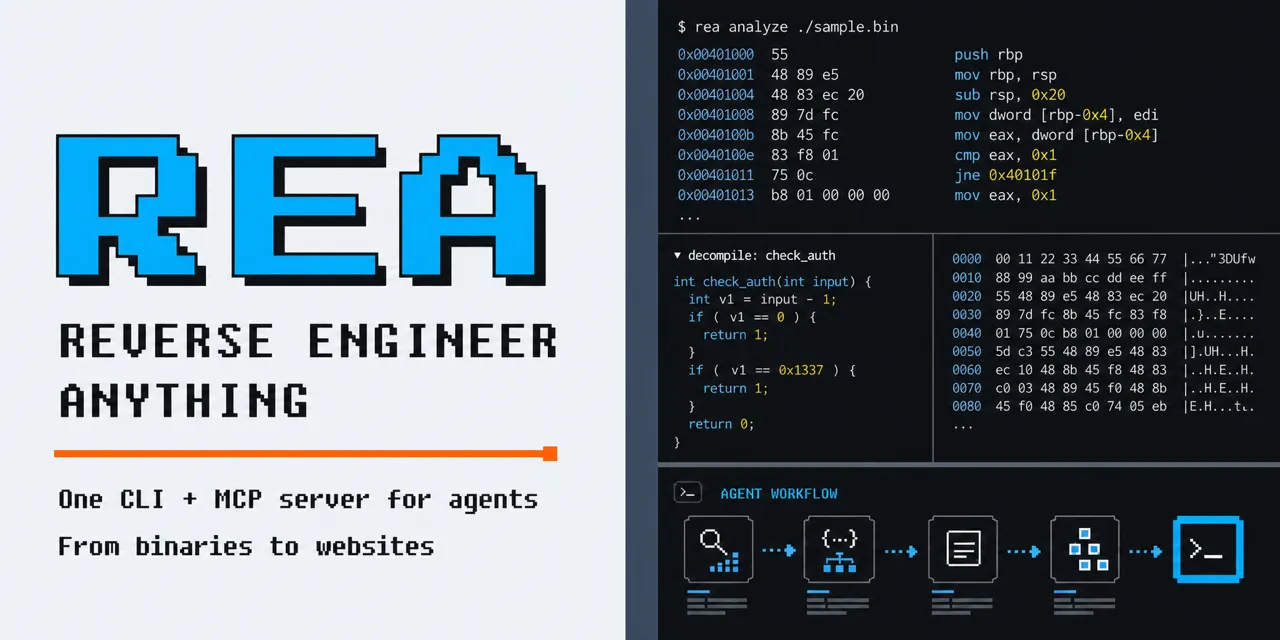
You use it by asking your agent a question. The README’s example is: “Understand how search works in the Notes app, show me the evidence, and build a similar feature for my project.” The agent calls REA’s tools to inspect the target, then uses the results as evidence for its explanation or reimplementation. The same operations also run from the terminal as the rea command.
The official site shows an example that traces, from the instructions in the calculator’s DLL, why Windows Calculator turns “200 + 10%” into 220. One of the README’s case studies follows how Notion writes to the clipboard, through Electron’s preload and IPC. Another reconstructs in C the stereo panning calculation of the game DX-Ball and matches it against 3,205 cases from the original x86 code.
Decompilation is left to Ghidra and others
At its core, REA is a layer that bundles existing analysis tools and returns their results in a form agents can work with. The README’s support table shows that what you need depends on the target.
| Target | What REA returns | What you need |
|---|---|---|
| Native binaries | Pseudocode, assembly, strings, symbols, calls and references | One of Hopper, Ghidra, or IDA |
| JavaScript / Electron | Modules, imports, source maps, routes, IPC, relationships with native addons | Node.js and npm (on Linux, a procps-compatible ps) |
| .NET assemblies | Metadata, CIL instructions, declared native dependencies | Nothing (static analysis only) |
| Android apps | Manifest, classes, decompiled methods | JADX and a JDK |
| Websites | Page structure, scripts, observed network traffic, screenshots | A Chromium-based browser |
Beyond these, the README’s table lists more than 30 kinds of targets, including firmware, WebAssembly, SQLite databases, and packet captures.
Reading native binaries in depth requires Hopper, Ghidra, or IDA. The README’s FAQ answers: “Deep native analysis uses one of them. Static JavaScript and .NET inspection work without a native analysis engine.” IDA and Hopper are commercial software. The README asks you to use legitimately obtained licenses and states that REA grants no license or key.
The AgentConn article calls REA a “thin orchestration layer” and points out that it contains no new decompiler and no new static analysis. Decrypt also notes that the README at the time said REA does not claim to recover original source code or to clone apps automatically. On the other hand, AgentConn treats one design choice as central to REA: every result comes back with the tool that produced it, a confidence level, and its limitations. This lets you read the agent’s guesses separately from what the analysis tools actually reported.
Analysis runs on your own machine. However, the README’s FAQ notes that the tool results go to your agent, and that each model provider has its own data policy. If you are inspecting an app that must not leave your organization, it seems wise to check the terms of the agent you use as well.
What is behind 300,000 stars
According to ASCII.jp, REA had 41 stars on October 2, passed 300,000 on the 17th, and reached 347,802 on the 21st. Here are the numbers from other reports, in date order.
| Date | Stars | Source |
|---|---|---|
| October 2 | 41 | ASCII.jp |
| October 6 | Under 10,000 | Decrypt |
| October 11 | More than 30,000 added that day | Decrypt |
| October 12 | Over 100,000 | Decrypt |
| October 14 | 234,477 (58,512 forks) | Startup Fortune (OSSInsight data) |
| October 17 | Passed 300,000 | ASCII.jp |
| October 21 | 347,802 | ASCII.jp |
Fetching the repository from the GitHub API on October 25 showed 376,923 stars and 94,200 forks. The repository was created on April 14, 2026. The npm package “rea-agents” first went out on July 12. Decrypt writes that the project drew almost no attention from its creation in April. The “two weeks” is not the time since release. It is the period since stars started surging in early October.
Some observers are cautious about how fast the count grew. Startup Fortune says it gained about 90,000 stars in the 36 hours from October 12 to 14, and wrote that this is not normal growth for a developer tool. AgentConn calls it typical of drive-by stars from people who never install the tool, and urges readers not to take the number at face value. Stars are better read as a measure of interest, not of how many people use it.
The pace of development shows in the version numbers too. According to Decrypt, there were 8 releases between October 3 and 11. The npm record goes from 3.2.1 on October 3 to 6.7.0 on October 18, three major versions in half a month. The README also says REA is changing quickly and recommends updating often.
Static analysis of an Electron app
JavaScript and Electron analysis runs without extra tools, so I tried it on a minimal example. The environment was Linux, Node.js 22.22.0, and rea-agents 6.7.0 (October 25, 2026). The README asks for Node.js 22.23.4 or later on the 22 line, but the npm package’s engines field says ^22.19.0, and with this version static analysis ran to completion.
The target was a tiny Electron app I built for the test; it only copies a note to the clipboard. The preload script exposes a function called notes.copy to the page, which calls an IPC channel named copy-note, and the main-process handler runs clipboard.writeText.
The first line is from preload.js, the second from main.js.
contextBridge.exposeInMainWorld('notes', { copy: (t) => ipcRenderer.invoke('copy-note', t) });
ipcMain.handle('copy-note', (_e, text) => { clipboard.writeText(text); return true; });
The command is the same as the README’s example: pass it the app’s folder.
rea analyze-javascript-application /path/to/sample-app --jsonThe resulting JSON was about 280,000 bytes. Here is the summary part.
{
  "browser_windows": 1,
  "preload_entrypoints": 1,
  "context_bridge_apis": 1,
  "exposed_api_members": 1,
  "sender_validation_observations": 0,
  "ipc": { "literal_channels": 1, "main_handlers": 1, "paired_renderer_transmissions": 1 }
}
It found one each of the function exposed to the page, the IPC channel, and the main-process handler, and paired the sending side with the receiving side. The graph section contained the paths from notes.copy to ipcRenderer.invoke and from ipcMain.handle to clipboard.writeText, with line and column positions. sender_validation_observations being 0 appears to reflect that the handler does not check where the message came from. For tasks like listing which main-process handlers an Electron app’s page can call, this level of detail looks useful enough.
The results also came with a list of limitations. They said, for example, that JavaScript and HTML were analyzed as text without being executed, that not finding something does not mean it does not exist, and that paths may not be resolved for dynamic or obfuscated expressions. Because this is static analysis, it guarantees nothing about what happens at runtime.
What to check before using it
Get it only from the three official sources. Repositories with similar names appeared right after REA started trending. The README warns you to install from morluto/rea on GitHub, rea.tools, or rea-agents on npm, and says a similar repository name or a copied README does not prove a download is official.
First decide whether you are allowed to inspect the target. The DISCLAIMER lists the intended uses as security research, malware analysis, interoperability, software preservation, and analysis of software you own or are authorized to investigate. It states explicitly that REA will not help bypass DRM or license checks, cheat in games, or copy code or assets from proprietary software. It adds that reverse engineering itself may be restricted by local laws or by the target software’s license agreement.
Isolate the environment for analysis that runs code. The DISCLAIMER says analysis that runs programs or records network traffic can affect files, accounts, and devices, and asks you to use a suitable environment for untrusted targets. Static analysis like the one above only reads the files you pass in and does not launch the app.
Setup rewrites your agent’s configuration. npx rea-agents setup registers the MCP server and working instructions with the agents you choose, and backs up the existing configuration. You review the proposed changes, approve them, and then restart the agent.
Native binary analysis needs Ghidra or a similar tool installed, so I left it out of this test. How far results like the calculator example can be reproduced in combination with an agent is what I want to check next. For another tool that wraps existing software for agents, see the article on CLI-Anything.
Related notes
AI
Anthropic's role-based plugins: what they add to Claude Code
I read the 123 entries in knowledge-work-plugins, a role-based plugin catalog built for Cowork, then installed some in Claude Code to check always-on tokens and MCP connections.
6 min
AI
OR-License: can AI agents deliver real optimization work?
OR-License tests whether AI agents can turn client documents into feasible plans on 31 tasks from paid optimization projects. No model matched experts; infeasible plans cost most.
6 min
ServiceNowAI
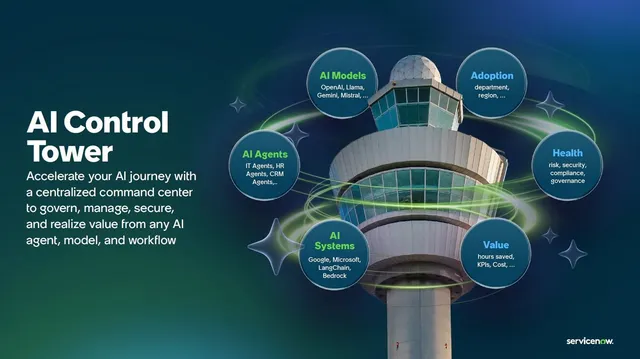
ServiceNow AI Control Tower: a control tower for your AI
ServiceNow AI Control Tower puts every AI in one inventory to approve, monitor, stop and track cost (GA May 2025). Five pillars, roles, licenses, Agent 365 and unknowns.
9 min