Everything Claude Code's 311 skills: what loads, how to pick
TL;DR
- Installing Everything Claude Code as a plugin adds the descriptions of 408 skills and commands plus 71 agents to the conversation. claude plugin details estimated about 47,561 tokens per session
- All 111 language-specific rule files have paths set, so per the official docs they load only when Claude reads a matching file. Only the 10 files in rules/common always load at startup
- With every pack installed, reading a single .tsx file matches 25 files from 4 packs. With the TypeScript pack alone, it is 5 files
- Passing only security-review to install.sh --skills still produces a dry-run plan that installs 74 skills
Contents (6)
Everything Claude Code (ECC from here on) is a kit that bundles skills, agents, hooks, and rules for Claude Code in one repository. On October 21, a post on Zenn, a Japanese developer blogging platform, narrowed its 311 skills down to 3 skills and 1 rule pack. That post chooses by install count. But how much grows when you install everything is decided by how Claude Code loads things. So I read the ECC repository (commit 90606c8, version 2.2.3) and the official Claude Code docs, installed it locally, and counted.
What ECC contains
Counting at commit 90606c8 gave the following. It matches the table at the top of the README.
| Component | Count | Location |
|---|---|---|
| Skills | 311 | skills/ |
| Agents | 71 | agents/ |
| Legacy commands | 97 | commands/ |
| Rules | 1 common pack plus 22 language and framework packs | rules/ |
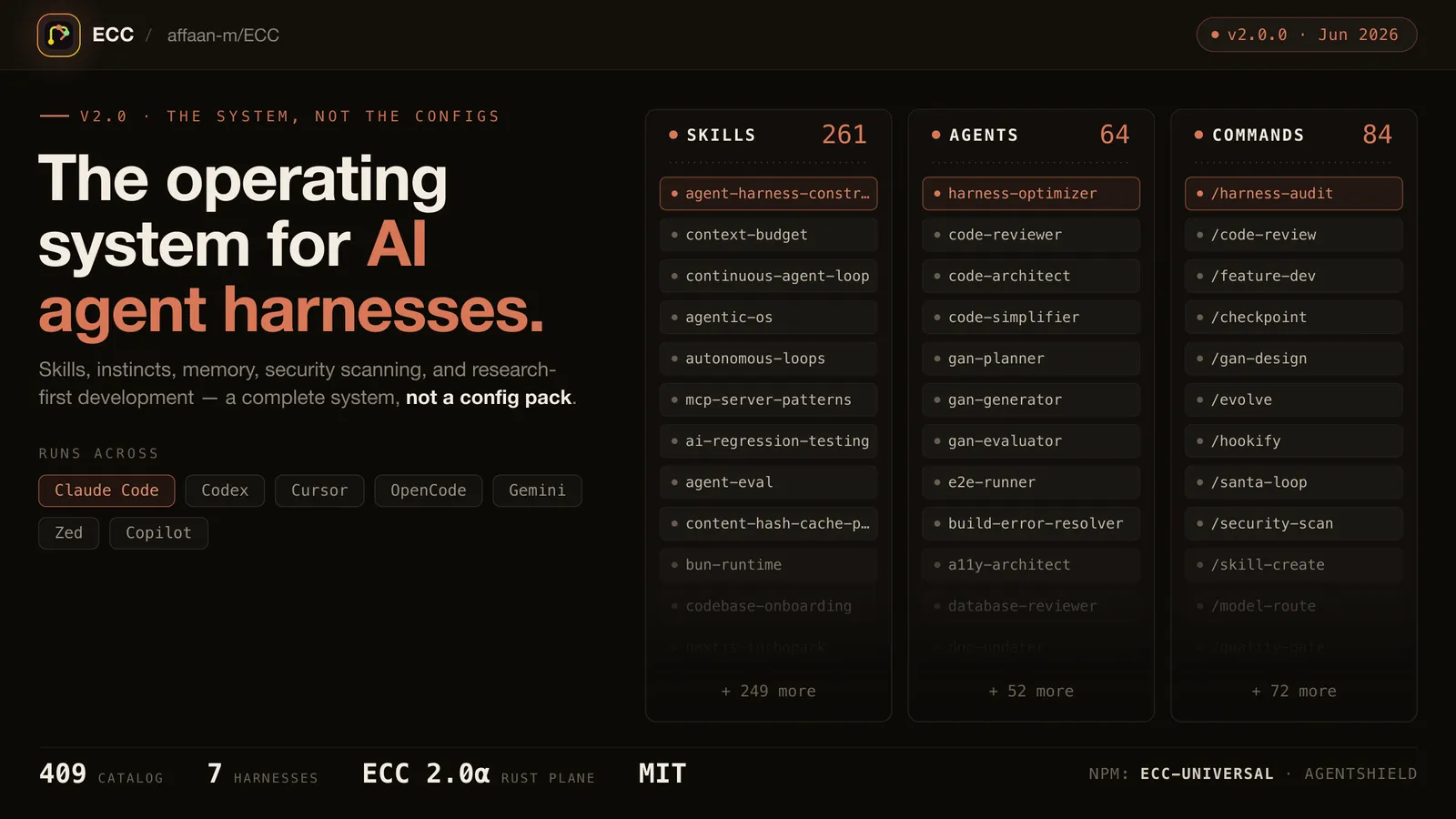
These numbers have grown fast. An Augment Code article published on April 22 (updated June 18) listed 48 agents and 183 skills. At 2.0.0 in June, the README listed 281 skills, 67 agents, and 94 commands. KDnuggets also features it as one of the repositories for mastering Claude Code. The banner image at the top of the README is still from 2.0.0 and says 261 skills.
There are two main ways to install it: add ecc@ecc as a Claude Code plugin, or place files in ~/.claude/ with install.sh or similar. The README warns that installing both ways into the same harness duplicates skills and hooks.
Installing everything as a plugin: about 47,561 tokens per session
According to Measure what a plugin costs, every session with a plugin enabled includes the names and descriptions of that plugin’s skills, agents, and commands. Those tokens count toward usage even if you never use them.
In my test environment (Claude Code 2.1.310, empty settings), I added the ECC marketplace, installed ecc@ecc, and got an estimate from claude plugin details.
$ claude plugin details ecc@ecc
ecc 2.2.3
Component inventory
  Skills (408)  accessibility, agent-architecture-audit, agent-eval, ...
  Agents (71)  python-reviewer, seo-specialist, vue-reviewer, ...
  Hooks (8)  PreToolUse, UserPromptSubmit, PreCompact, SessionStart, PostToolUse, PostToolUseFailure, Stop, SessionEnd  (harness-only — no model context cost)
  MCP servers (1)  chrome-devtools  (tool schemas resolved at runtime; not counted)
Projected token cost
  Always-on:   ~47,561 tok   added to every session
The 408 skills are the 311 skills plus the 97 commands. The official docs also say commands are counted together with skills. In the official marketplace, plugins whose estimate is 2,000 tokens or more are highlighted on the /plugin details screen. ECC’s roughly 47,561 tokens is more than 20 times that.
Not every skill description necessarily makes it into the conversation, though. According to the skills docs, the skill list has a character budget that scales with 1% of the model’s context window. Past that budget, descriptions are dropped starting with the least-invoked skills. The name stays, but the words Claude matches against your request are gone, so that skill becomes less likely to be invoked automatically. When you install everything, skills you installed going uninvoked looks like a bigger problem than the token count.
Another constraint is that you cannot turn off a plugin’s skills one at a time. The skillOverrides setting does not apply to plugin skills; the docs say to manage them with /plugin. What /plugin can do is enable or disable the whole plugin.
Rules do not necessarily load every time
ECC’s README calls rules “always-loaded context” and recommends starting with rules/common plus one pack for your language. Plugins cannot distribute rules, so you copy them into ~/.claude/rules/ecc/ yourself. The official standard plugin layout has no place for rules either.
Meanwhile, per the official docs, how a file in .claude/rules/ is handled depends on paths. Rules without paths are loaded at startup. Rules with paths load when Claude handles a matching file with the Read, Write, or Edit tools.
Counting ECC’s rules, only the 10 files in rules/common (19,408 bytes total) had no paths. All 111 files in the 22 language and framework packs had paths. The top of the TypeScript pack looks like this.
---
paths:
  - "**/*.ts"
  - "**/*.tsx"
  - "**/*.js"
  - "**/*.jsx"
---
So copying all 22 packs does not mean all of them load at startup. The trouble is when packs overlap on the same extension. For example, .tsx was targeted by 4 packs: TypeScript, React, React Native, and Web. In a project with every pack installed, reading one .tsx file matches 25 files (67,166 bytes total). With only the TypeScript pack, it is 5 files (6,791 bytes). Even a web app that does not use React Native pulls the React Native rules into the conversation.
The reason to narrow down to one pack is this overlap more than per-language loading. It seems sensible to decide by checking which packs an extension hits, for example adding the React pack too if you use React.
Naming one skill with --skills does not install just one
As a way to install only the parts you need, the README gives ./install.sh --target claude --skills tdd-workflow,security-review. But when I printed the plan with --dry-run, it included more than the skills I named. This was in an empty folder, at project scope (--target claude-project).
$ node ecc/scripts/ecc.js install --target claude-project --dry-run --skills security-review
Included components: skill:security-review
Requested modules: security
Selected modules: platform-configs, skill-unified-memory, workflow-quality, security, shared-script-utils
Operations: 144
Skills are installed in units called modules. In install-modules.json, security-review belongs to the security module, and that module also contains HIPAA and DeFi skills. Dependent modules get added too, and the plan ended up with 74 skill folders.
Naming coding-standards widens it further. A module that includes rules gets selected, and the plan had 546 operations, installing 71 agents, 97 commands, and 122 files covering every rule pack. Even --profile minimal, meant for a small install, includes 53 skills and every rule pack.
If you want just one skill, the manual copy shown in the README is the reliable way.
cp -r skills/security-review ~/.claude/skills/The README says manually copied components each work on their own. The security-review folder held only 2 files: SKILL.md and a supplement on cloud configuration.
Which skills to keep
When choosing from the 311, you can check these four things yourself.
First, the per-turn cost and the cost when invoked. In the per-line estimates from claude plugin details, security-review was about 80 tokens per turn and about 4,900 tokens when invoked. coding-standards was about 100 and about 4,800 tokens, and frontend-patterns about 80 and about 5,900 tokens. All three together come to about 260 tokens per turn, less than 1% of the plugin’s total of about 47,561 tokens.
Second, the stack each skill assumes. security-review names Vercel and Railway as places to keep secrets, and its SQL examples and row-level security section assume Supabase. In projects that do not use Supabase, that section does not apply.
Third, how skills divide the work. coding-standards says at the top that it leaves React and the like to frontend-patterns, and API design and the like to backend-patterns. Installing the shared coding-standards plus one that fits your stack gives the combination the author intended.
Fourth, whether a skill is actually used. /skill-doctor, in Claude Code 2.1.252 and later, shows skills that are listed but have never been invoked, including plugin skills. After a few days, it seems worth removing the ones that never get called.
What to check before installing
The README says to get ECC only through official channels: the GitHub repository, ecc-universal on npm, the ecc@ecc plugin, and so on. It warns that unofficial mirrors and redistributions may contain malware.
Installing as a plugin also enables hooks for 8 kinds of events. Hooks run outside the sandbox with your own permissions. I covered how review works and how to read hooks in my post on the official Claude Code plugin collection. ECC is in neither Anthropic’s official catalog nor the community catalog; you install it from the author’s marketplace. It does not go through the per-update review that the official catalog has.
Other skill collections besides ECC, such as google/skills, are also getting large. As the counts grow, the way to use them looks more like reading them as a catalog and choosing, rather than installing everything.
Verification
- Last verified
- Environment
- Claude Code 2.1.310
- Everything Claude Code 2.2.3 (commit 90606c8, October 20, 2026)
Related notes
AI
Four fixers for AI-sounding Japanese vs. a 137-item list
A deck that condenses 137 checklist items into 16 principles drew attention. I use it as a yardstick for yomiyasu, natural-japanese, meiseki, and textlint's AI rules.
10 min
AI
Anthropic's role-based plugins: what they add to Claude Code
I read the 123 entries in knowledge-work-plugins, a role-based plugin catalog built for Cowork, then installed some in Claude Code to check always-on tokens and MCP connections.
6 min
AI
What is CLI-Anything? Agent CLIs and what CLI-Hub installs
HKUDS's CLI-Anything generates agent-ready CLIs for GIMP, LibreOffice, and more. I read its code: how generation works, the CLI-Hub registry, and what to check before installing.
6 min